Free tool · no signup
Google review QR code generator
Paste your Google Place ID. Get a direct review link and a printable QR code, generated in your browser. No signup, no email, nothing stored.
Paste your Place ID, a g.page link, or a full review URL. Nothing is sent anywhere — this runs entirely in your browser.
Your review link
Your direct link opens the Google review box for your business — no searching, no scrolling. It'll appear here as soon as you paste an ID above.
Your printable QR code appears here.
01
Paste your Place ID
Or a g.page link, or the review URL Google already gave you. All three work.
02
Get your direct link
It opens the Google review box for your business — no searching, no scrolling.
03
Download the QR code
A 512px PNG, ready for a table tent, counter card, receipt, or window sticker.
How to find your Place ID
Two ways to get it
From Google's Place ID finder
Open the official Place ID finder, type your business name into the search box on the map, and copy the ID that appears in the info window. It looks like ChIJN1t_tDeuEmsRUsoyG83frY4.
From your Business Profile
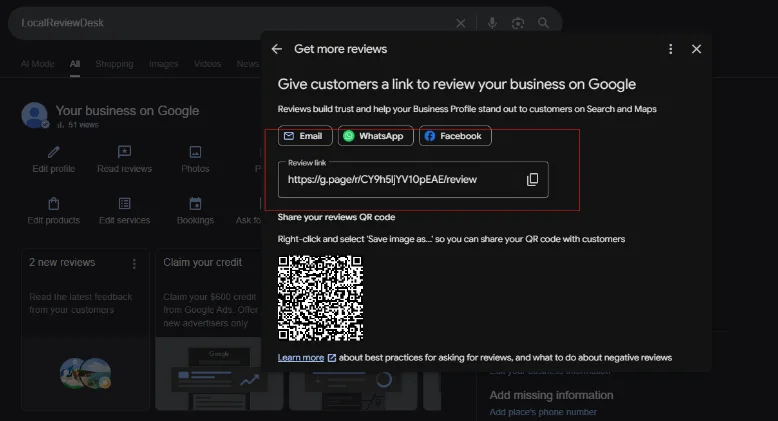
If you manage the profile, Google will hand you the finished review link directly — paste that into the tool instead of a Place ID.
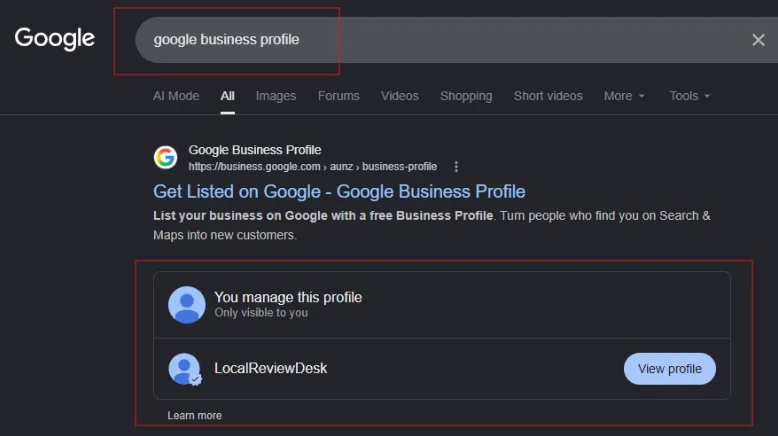
- 1Search your business name while signed in to the account that manages it.
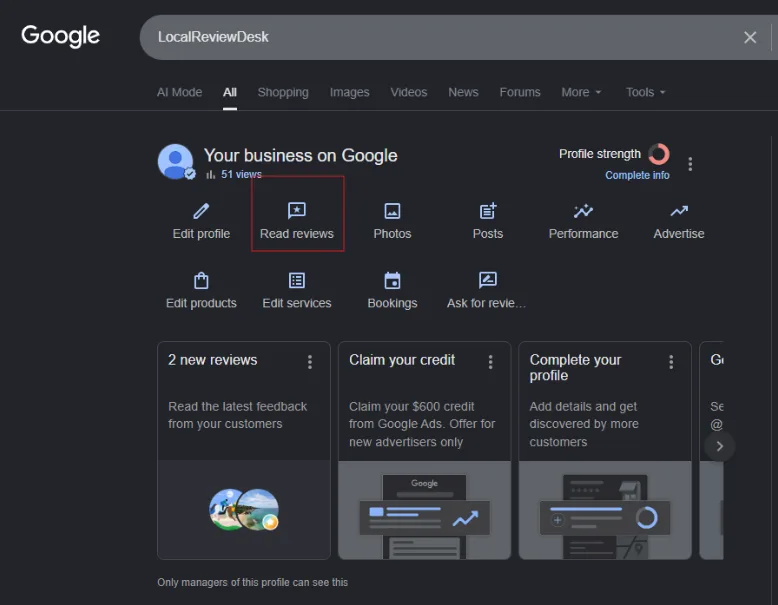
- 2Open your Business Profile panel.
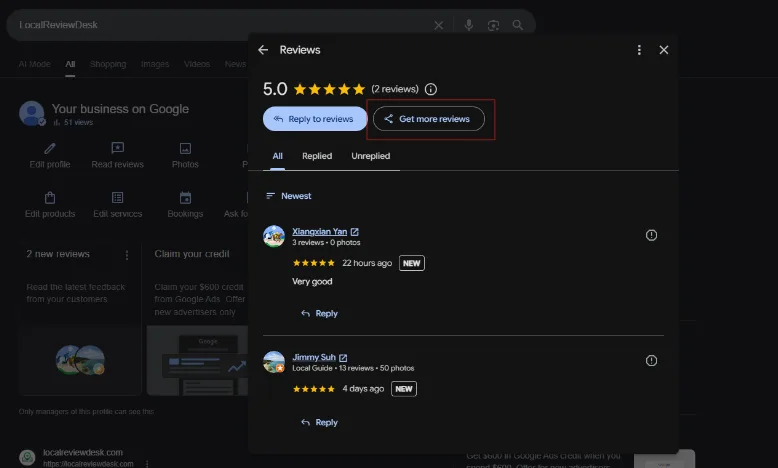
- 3Tap “Ask for reviews” or “Get more reviews”.
- 4Copy the link Google shows you.
Show me the screenshots (4)
Once you've printed it
Put it where the ask happens
A QR code in a drawer collects nothing. The codes that work sit exactly where a customer is already standing, already happy, and already holding their phone.
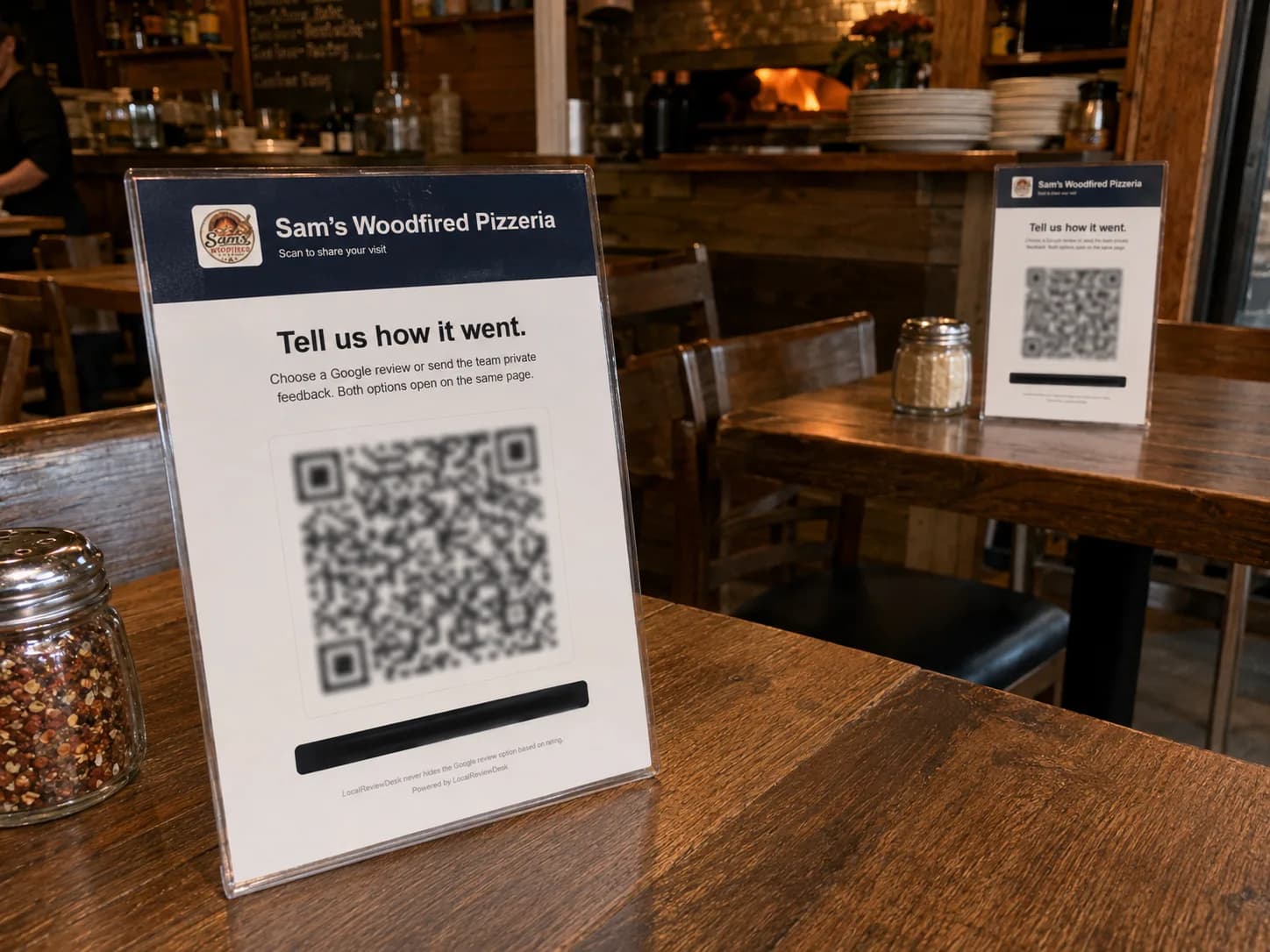
On the table
Table tents catch people while they're still sitting down and still happy.
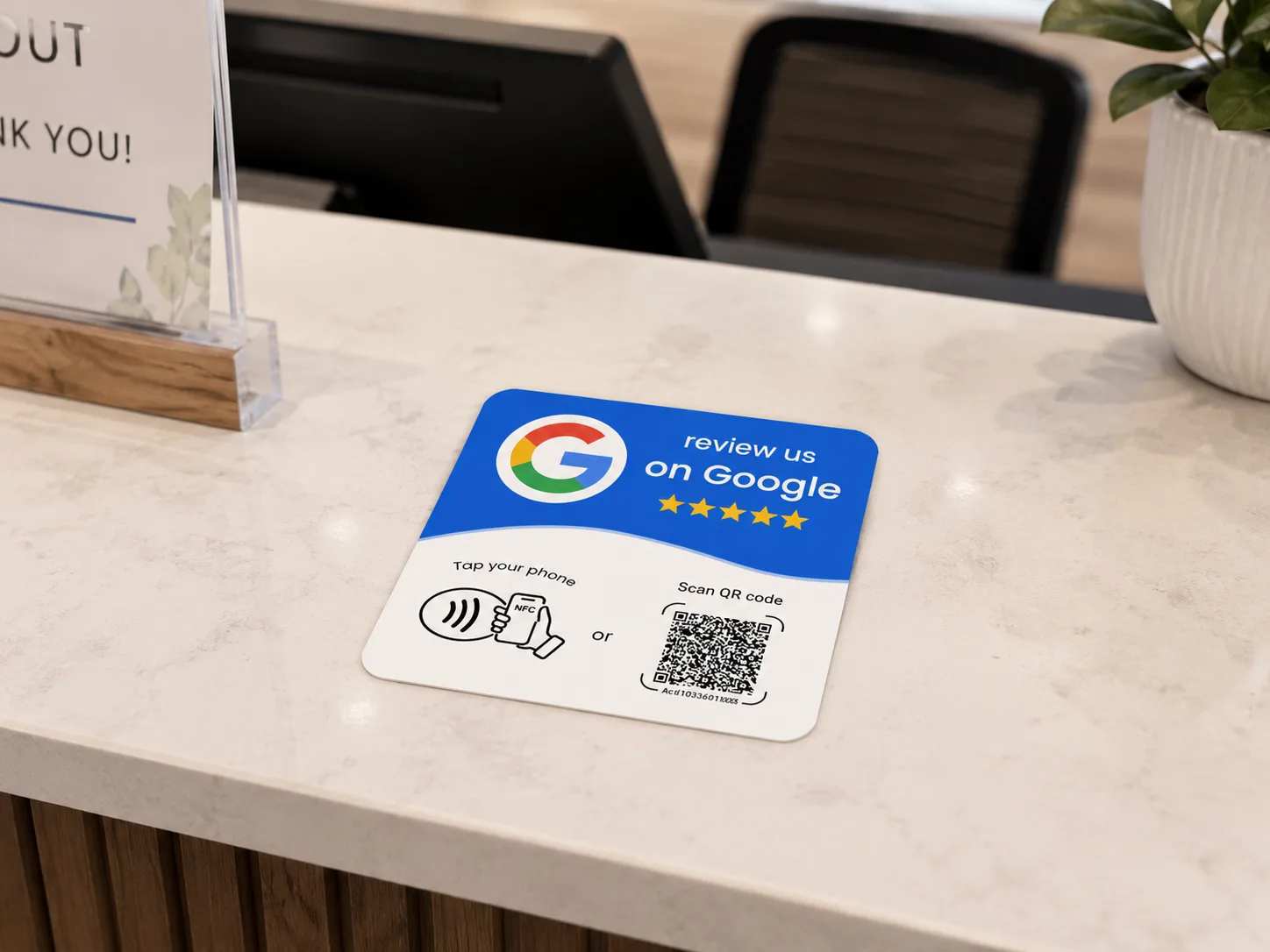
At the counter
The moment of payment is when the ask feels natural and the memory is freshest.
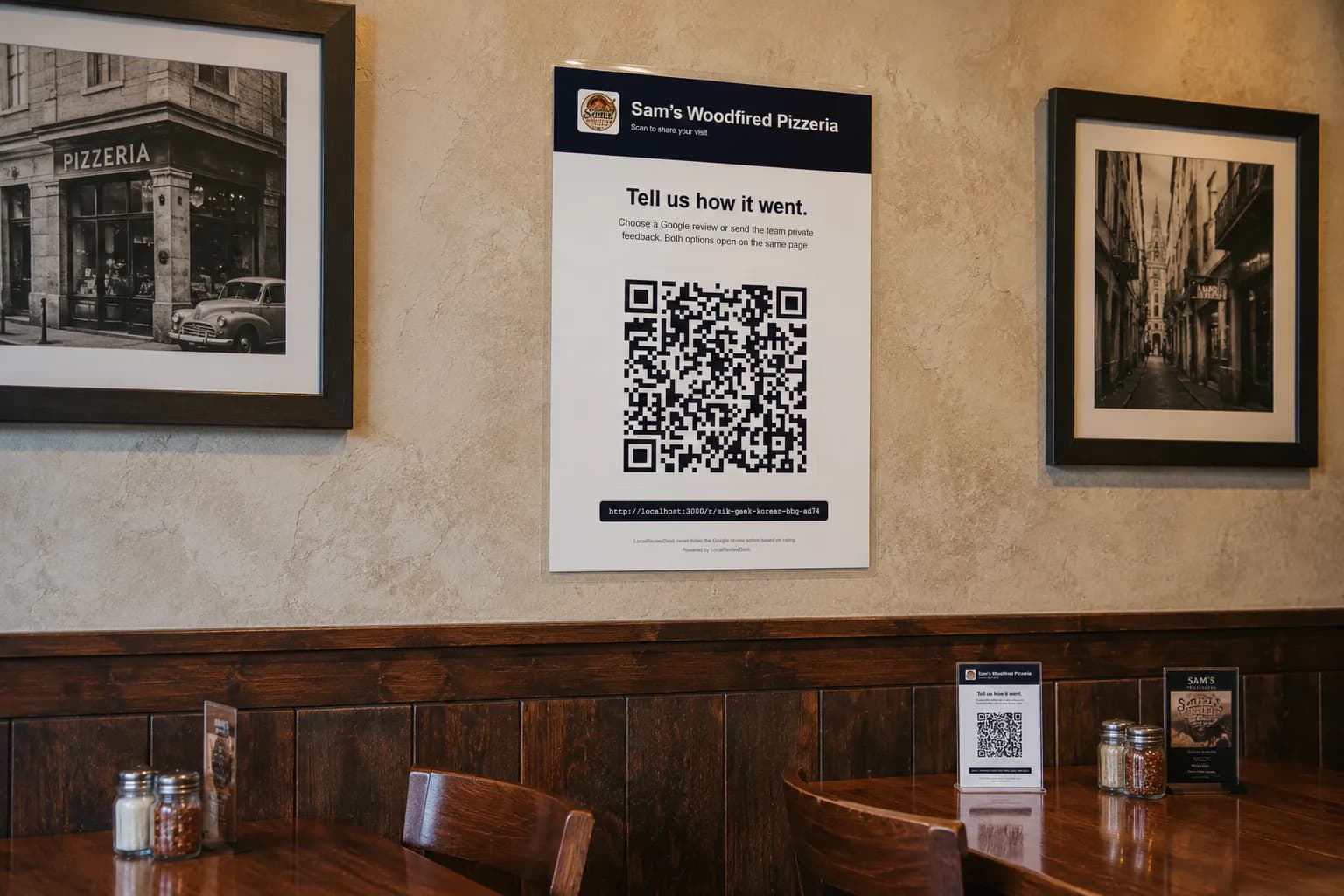
On the wall
A poster by the door or the till keeps working when nobody remembers to ask.
Worth being straight about
A static QR code can't count
Google gives you the review link for free, and the QR code above is a picture — it can't tell you whether anyone scanned it, whether they left a review, or which member of staff was on shift when they did.
That's the part LocalReviewDesk handles: a branded page behind the scan, a count of how many people actually reached Google, and a private feedback channel so an unhappy customer reaches you before they reach your profile. Every customer sees both options, every time.
FAQ
Questions about review QR codes
It's a QR code that opens the Google review box for your business directly, instead of making a customer search for you, scroll your profile, and hunt for the review button. Scanning it lands them on the review composer with your business already selected.
Open Google's official Place ID finder, search your business name, and copy the ID it shows — it's a long string that usually starts with ChIJ. You can also paste a g.page link or a full review URL into the tool instead; it accepts all three.
No. The link is built and the QR code is drawn entirely in your browser. There is no request to LocalReviewDesk, nothing is logged, and you don't need an account.
Yes. The PNG is 512px, which prints cleanly at typical table-tent and counter-card sizes. Test the printed code with a phone before ordering a batch — glossy laminate and small print sizes are the usual causes of a code that won't scan.
It removes friction, which helps, but the code is not the hard part. What actually moves review volume is a member of staff asking at the right moment, with something physical at the counter to scan. Our guide on how to get more Google reviews covers what we've seen work.
This tool gives you a link and a static QR code, and that's where it stops. A static code can't tell you whether anyone scanned it. LocalReviewDesk hosts a branded page behind the scan, counts how many people actually reached Google, gives unhappy customers a private feedback channel so problems reach you instead of your profile, and attributes scans to the staff member who asked. Both options are always shown to every customer — no gating.
Related reading: how to get more Google reviews, why a Google review isn't showing up, and NFC vs QR for review cards.
Want to know if anyone actually scanned it?
Branded review page, Google click tracking, and a private feedback inbox. Set up in minutes. Cancel anytime.
$20/mo · 10-min setup · 2 cards included · cancel anytime
Already have an account? Sign in